


Looking for the best budget Wi-Fi router for home use in 2025? You’re not alone. In a world where remote work, streaming, gaming, and smart home gadgets are the norm, reliable Wi-Fi is non-negotiable. But you don’t have to spend a fortune to stay connected. This guide walks you through the top 5 budget-friendly routers that deliver real performance at home-friendly prices.
Whether you’re upgrading from an aging router or setting up Wi-Fi in your first apartment, we’ve got you covered.
🔗 1. TP-Link Archer AX10 — Best Overall Budget Wi-Fi 6 Router

Why we like it: The TP-Link Archer AX10 offers next-gen Wi-Fi 6 speeds and modern features without breaking the bank. Ideal for households that want to stream Netflix, Zoom into meetings, and browse all at once.
Key Specs:
- Wi-Fi Standard: Wi-Fi 6 (802.11ax)
- Max Speed: 1.5 Gbps
- Antennas: 4 external
- Ports: 4x LAN, 1x WAN (no USB)
Pros:
- ✅ Fast, stable performance
- ✅ User-friendly mobile app
- ✅ Excellent parental controls
Cons:
- ❌ No USB ports for file sharing
- ❌ Few customization options for power users
Great for: Families, small to medium homes, multi-device streaming
🔗 2. TP-Link Archer AX21 — Solid Alternative with Broader Availability

Why we like it: The Archer AX21 is a top-rated, budget-friendly router that offers similar performance to the AX10 with better availability and more advanced features for the price.
Key Specs:
- Wi-Fi Standard: Wi-Fi 6
- Max Speed: 1.8 Gbps
- Antennas: 4 high-gain
- Ports: 4x LAN, 1x WAN, 1x USB
Pros:
- ✅ USB port for media sharing
- ✅ WPA3 security + easy setup
- ✅ Compatible with Alexa voice control
Cons:
- ❌ Slightly larger design
- ❌ App has ads
Great for: Smart homes, families with many devices
🔗 3. ASUS RT-AX55 — Top Choice for Streaming & Gaming
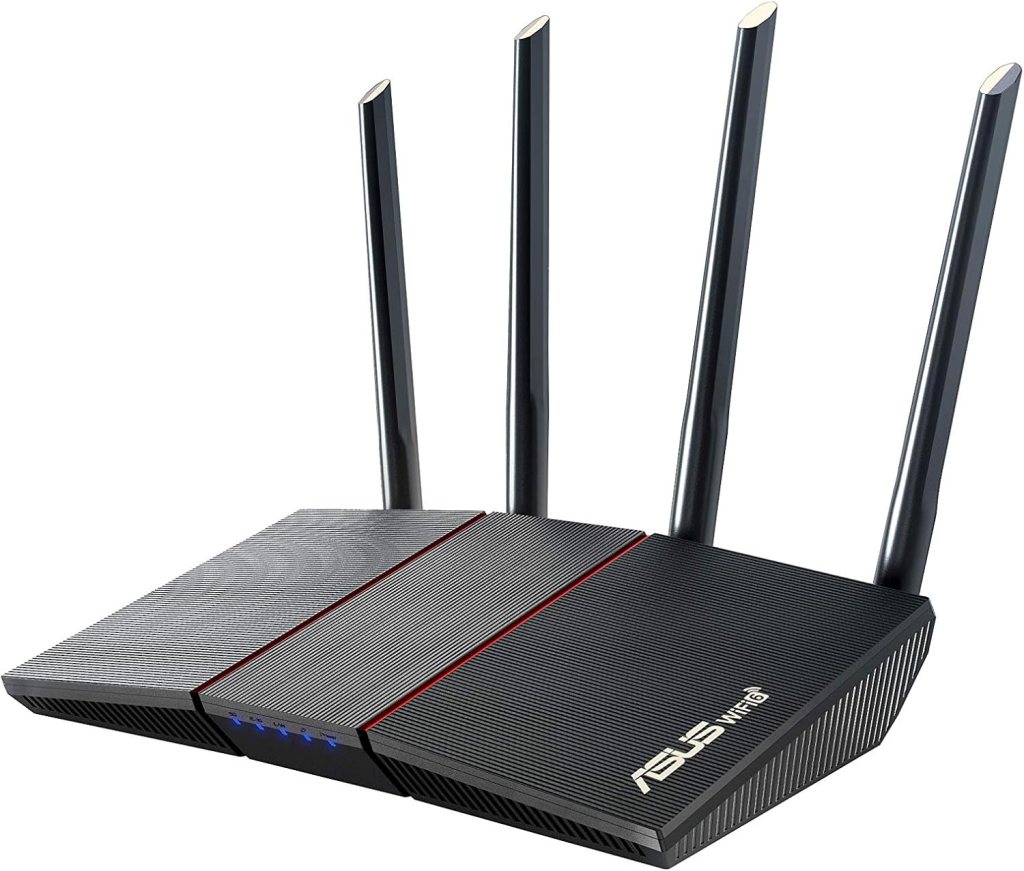
Why we like it: If speed and stability are your top priorities, the ASUS RT-AX55 delivers. With OFDMA and MU-MIMO, you get a smooth experience even when everyone’s online.
Key Specs:
- Wi-Fi Standard: Wi-Fi 6
- Max Speed: 1.8 Gbps
- Antennas: 4 adjustable
- Ports: 4x LAN, 1x WAN
Pros:
- ✅ Excellent range and throughput
- ✅ Optimized for low-latency use
- ✅ Simple setup via ASUS Router App
Cons:
- ❌ No USB port
- ❌ Setup not the fastest
Great for: Gamers, streamers, media-heavy homes
🔗 4. ASUS RT-AX1800S — Best Alternative to D-Link
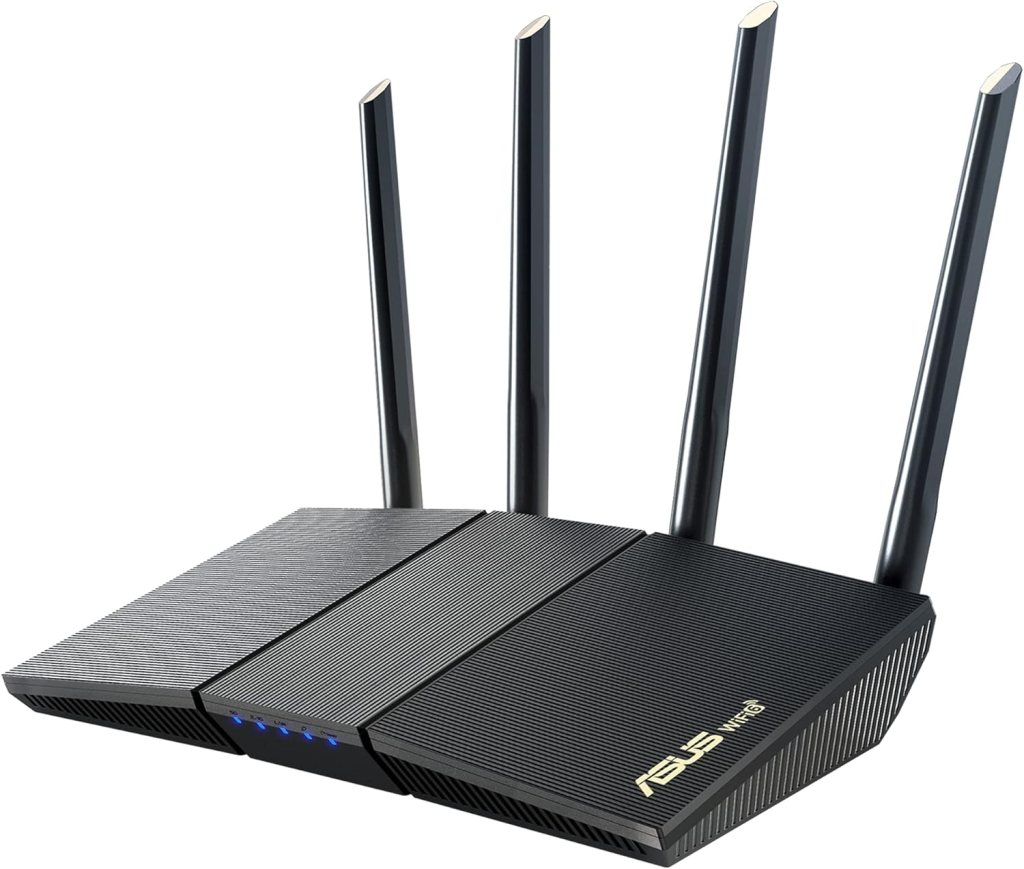
Why we like it: The ASUS RT-AX1800S offers a reliable and powerful experience, replacing less-available models like the D-Link DIR-X1560 with enhanced support and coverage.
Key Specs:
- Wi-Fi Standard: Wi-Fi 6
- Max Speed: 1.8 Gbps
- Antennas: 4 external
- Ports: 4x LAN, 1x WAN, 1x USB
Pros:
- ✅ Excellent signal range
- ✅ Includes USB port
- ✅ Highly rated for smart home use
Cons:
- ❌ Larger footprint
- ❌ Limited customization
Great for: Larger apartments, smart home setups
🔗 5. Consider a Mesh System Instead — If You Need Range & Simplicity

If none of the above routers meet your home layout or connectivity needs (especially in large multi-story houses), consider going with a budget-friendly mesh system.
Recommended Mesh Option: TP-Link Deco S4 Mesh WiFi System (3-pack)
Why we like it:
- Covers up to 5,500 sq ft
- Seamless roaming between nodes
- Great value for families wanting hassle-free Wi-Fi
Pros:
- ✅ Huge coverage range
- ✅ Automatic band steering
- ✅ Great for larger homes
Cons:
- ❌ Higher initial price
- ❌ Slightly lower speeds than high-end single routers
Great for: Multi-level homes, families needing consistent coverage in every room
✅ Buying Guide: What to Look For in a Budget Wi-Fi Router
- Wi-Fi 6 Support: Prioritize routers with Wi-Fi 6 (802.11ax) for faster speeds and better efficiency.
- Dual-Band vs Tri-Band: For most homes, dual-band (2.4GHz + 5GHz) is enough. Tri-band helps if you have many smart devices.
- App Management: Choose a router with an intuitive mobile app for easy network setup and parental controls.
- Security: WPA3 encryption, automatic firmware updates, and guest networks help keep your data safe.
- Speed & Range: Match router speed with your ISP plan. Antennas help with wider coverage.
📈 Final Thoughts
You don’t need to spend $200+ to get great Wi-Fi at home. Each of these five routers (and one mesh system) gives you excellent bang for your buck, and covers everything from basic internet use to intense streaming and gaming.
If you want the best all-rounder, go for the TP-Link Archer AX10. If you’re after speed and low latency, the ASUS RT-AX55 is your friend. Need range? Try the Deco S4 mesh kit.
🚀 FAQs
What is the best budget Wi-Fi router for under $100?
The TP-Link Archer AX10 or AX21 are excellent picks under $100, offering Wi-Fi 6 performance with solid speed and stability.
Are budget routers good enough for gaming?
Yes! Especially models like the ASUS RT-AX55 or AX1800S, which handle low latency and stable throughput well.
Do I really need Wi-Fi 6?
Wi-Fi 6 isn’t essential but offers better efficiency, speed, and futureproofing. Most budget models now include it.
Can I use these routers in an apartment?
Absolutely. The AX10, AX21 and RT-AX1800S are all great for apartments or small spaces.
What if I need better coverage?
Consider a mesh system like the TP-Link Deco S4 if your home has multiple floors or thick walls.
| Router | Photo Suggestion | Max Speed | Wi-Fi Standard | Best For | Pros | Cons |
|---|---|---|---|---|---|---|
| TP-Link Archer AX10 | Product photo with glowing LEDs | 1.5 Gbps | Wi-Fi 6 | Family streaming, light gaming | ✅ Affordable Wi-Fi 6 ✅ Easy app setup ✅ Great parental controls |
❌ No USB port ❌ Limited advanced features |
| TP-Link Archer AX21 | Router in smart home setup | 1.8 Gbps | Wi-Fi 6 | Smart homes, families | ✅ USB port ✅ WPA3 security ✅ Alexa compatible |
❌ Larger design ❌ App contains ads |
| ASUS RT-AX55 | Techy corner with glowing router | 1.8 Gbps | Wi-Fi 6 | Gaming & HD streaming | ✅ Great range ✅ OFDMA + MU-MIMO ✅ Clean UI |
❌ No USB ❌ Setup takes a bit longer |
| ASUS RT-AX1800S | Router in larger home setup | 1.8 Gbps | Wi-Fi 6 | Smart home users | ✅ USB port ✅ Reliable signal ✅ Easy to install |
❌ Large body ❌ Basic settings UI |
As an Amazon Associate, we may earn a small commission from qualifying purchases. This comes at no extra cost to you and helps support our site. Thank you! 🙌
